
20 unbilled hours can cut a 30% margin to 23%
Some of the work that IT consultancies and managed service providers do for customers never gets invoiced. It usually happens on fixed-price projects and managed service contracts, although late timesheet approvals can cause it as well.
Unbilled work is hard to spot because the financial reports most companies review each month are built from invoices. To find it, you have to check the hours logged for each customer against their contract and what they were charged. Below are the three places we would look first, along with what Zoho does in each one and a short checklist for owners and finance leads to run themselves.
Fixed-price projects
Customers often ask for extras while you are still negotiating a fixed-price deal. Some of these get agreed on a call or by email and never reach the contract, so the project manager doesn’t hear about them.
More small requests come in once the project starts, such as a change to a report or another training session. Agreeing to one of these is often reasonable, but if nobody records them, the total only shows up when the project goes over budget. For example, 20 extra hours on a 200-hour project priced at a 30% margin brings it down to about 23%.
Doing some extra work for free can be the right choice with an important customer, as long as someone who can see the project budget approves it. Record it as well, so that the next estimate for that customer can allow for it.
To check this, take a few recently finished fixed-price projects and compare the statement of work with what was delivered. For every extra item, look for a change request or a record of who agreed to do the work for free.
If you use Zoho CRM and Zoho Projects, the CRM integration lets you create a project straight from a deal using a template, so it is linked to the customer record from the start. Deal fields only reach the project if someone mapped them when the integration was set up, which means agreed extras and exclusions need a field of their own on the deal and a mapping to go with it. We would also make that field required, so sales cannot mark the deal as won until they have filled it in.
Managed services
Some support contracts include a set number of tickets or a block of prepaid hours, but installations and project work are usually outside them and should be billed separately.
That only happens if the engineer marks the work as billable, because a ticket closed in the normal way gives finance no reason to send an invoice. Unbilled jobs also cause trouble at renewal, when a customer who has had a few of them done at no charge expects that to continue.
Compare a sample of closed tickets with each customer’s contract to see how often billable work gets closed without anyone flagging it. Tickets for new equipment or infrastructure changes are the most useful ones to look at.
In Zoho Desk, a contract links a customer account to a support plan and an SLA. Support plans are either unlimited or ticket-based, where you set how many tickets the SLA covers in each period. Desk has no plan type for prepaid hours, so anyone selling time in blocks has to log the work as billable time entries on tickets and keep each customer’s remaining balance separately, because time entries record the hours used and do not keep a running balance.
With the Zoho Books integration, agents can create estimates and invoices from inside a ticket and send them to the customer. The engineers still have to decide what is billable, which means they need to know what each contract covers. We would also make flagging that work a required step before anyone can close a ticket.
Timesheets and invoicing
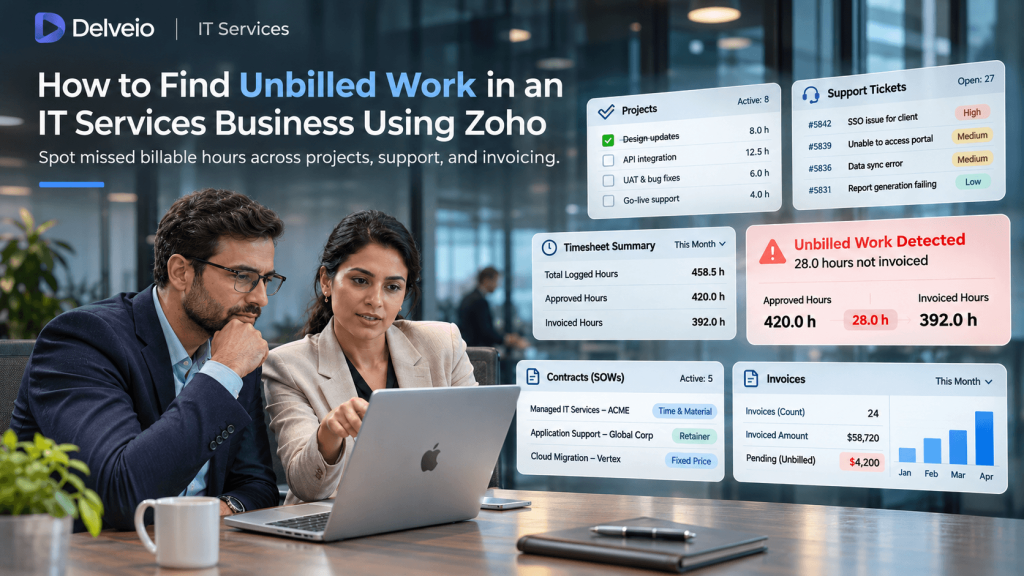
Billable time can be logged correctly and still go unbilled, which happens when finance prepares monthly invoices from approved timesheets on a fixed date and a project manager approves some entries a few days later. Those entries only reach the following month’s billing if someone keeps a list of approved hours that are still waiting to be invoiced.
A simple monthly check is to put approved billable hours next to what was actually invoiced. Some differences are fine, such as time covered by a retainer or written off by agreement, but finance should be able to explain each one.
The integration between Zoho Projects and Zoho Books only brings a timesheet across once it is both billable and approved in Projects and its project has a primary customer, after which it shows as unbilled in Books. Anything still waiting for approval is missing when finance prepares the invoices, so project managers need a fixed deadline for approving time. Finance should also review unbilled time in Books before closing each billing period.
How one client set this up
We implemented Zoho CRM, Zoho Projects, Zoho Desk and Zoho Books for an IT infrastructure and managed services company. It does installation projects as well as ongoing support, so its setup had to handle both kinds of billing.
When a deal is won in CRM, a project gets created in Zoho Projects and marked as billable or not, which decides whether it goes on to invoicing in Books.
Support tickets go to the network operations center first, which assigns them to the right engineering team. Closing a ticket includes a step that asks whether the work is billable, and anything the customer’s maintenance contract doesn’t cover gets invoiced.
Every project and every closed ticket at this company now carries a billing decision, and Books handles the invoicing for the billable ones. You can read about more of our implementations on our case studies page.
Where to start
These three checks will show where unbilled work is happening, and they use records you already have:
- Take a few finished fixed-price projects and compare the statement of work with what was delivered, looking for a change request behind each extra item.
- Go through a sample of closed support tickets alongside each customer’s contract, starting with tickets for new equipment or infrastructure changes.
- Ask finance to explain every difference between the billable hours approved last month and what was invoiced.
Most of what these checks turn up comes down to one of two causes. Either the hours were logged and finance never saw them, which usually means someone approved a timesheet late or the sync between Projects and Books isn’t set up properly, or nobody marked the work as billable at all. When that is the cause, sit down with sales and the engineers and agree what they have to record.
Delveio Consulting is an Authorized Zoho Partner with seven years of Zoho experience and more than 400 CRM projects delivered. We implement Zoho CRM, Zoho Projects, Zoho Desk and Zoho Books for IT services businesses, and we connect them so that billable work reaches an invoice.
If you are planning a Zoho implementation, or have one that is missing billable work, book a call and we will go through your current processes with you.
Not on Zoho yet? Sign up for Zoho through Delveio Consulting.